Copy or Export this Code to VBA
Use these verified developer utilities to run this lesson directly inside your Microsoft Excel Visual Basic Editor.
String Manipulation
In this chapter, you’ll find the most important functions to manipulate strings in Excel VBA. Place a command button on your worksheet and add the code lines below. To execute the code lines, click the command button on the sheet.
Join Strings
We use the & operator to concatenate (join) strings.
Code:
Dim text1 As String, text2 As String
text1 = "Hi"
text2 = "Tim"

MsgBox text1 & " " & text2
Result:
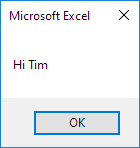
Note: to insert a space, use ” “
Left
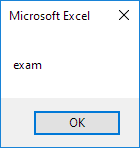
To extract the leftmost characters from a string, use Left.
Code:
Dim text As String
text = "example text"

MsgBox Left(text, 4)
Result:
Right
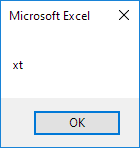
To extract the rightmost characters from a string, use Right. We can also directly insert text in a function.
Code:
MsgBox Right("example text", 2)Result:
Mid
To extract a substring, starting in the middle of a string, use Mid.
Code:
MsgBox Mid("example text", 9, 2)Result:
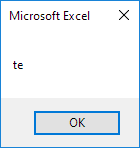
Started at position 9 (t) with length 2. You can omit the third argument if you want to extract a substring starting in the middle of a string, until the end of the string.
Len
To get the length of a string, use Len.
Code:
MsgBox Len("example text")Result:
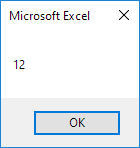
Note: space (position 8) included!
Instr
To find the position of a substring in a string, use Instr.
Code:
MsgBox Instr("example text", "am")Result:
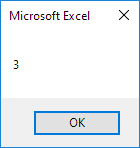
String “am” found at position 3.
Stuck on a step? Ask a question and the AI answers using this article.