⚡ Macro Developer Toolkit
Copy or Export this Code to VBA
Use these verified developer utilities to run this lesson directly inside your Microsoft Excel Visual Basic Editor.

Loop Entire Column
Below we will look at a program in Excel VBA that loops through the entire first column and colours all values that are lower than a certain value.
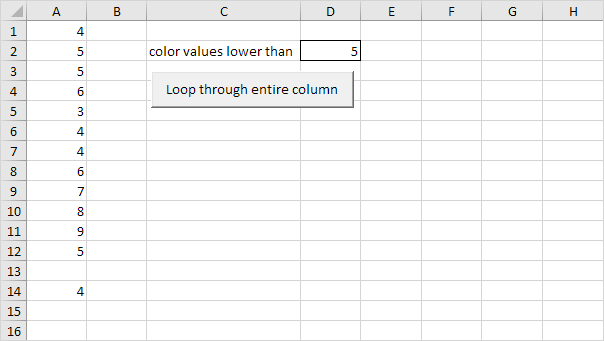

Place a command button on your worksheet and add the following code lines and declare a variable called i of type Long. We use a variable of type Long here because Long variables have larger capacity than Integer variables.
Dim i As LongNext, add the code line which changes the font colour of all the cells in column A to black.
Columns(1).Font.Color = vbBlack3. Add the loop.
For i = 1 To Rows.Count

 Next i
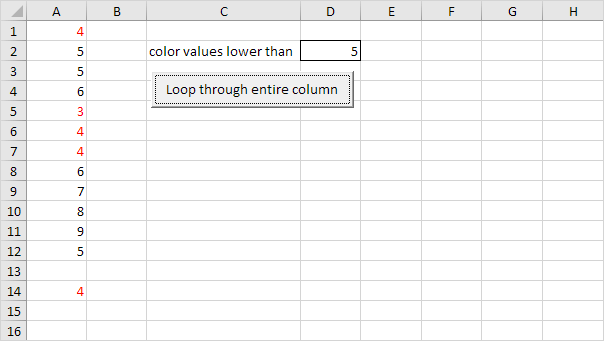
It will colour all values that are lower than the value entered into cell D2. Empty cells are ignored. Add the following code lines to the loop.If Cells(i, 1).Value < Range("D2").Value And Not IsEmpty(Cells(i, 1).Value) Then
Cells(i, 1).Font.Color = vbRed
End IfResult when you click the command button on the sheet (this may take a while):

✨ Ask AI about this article
Stuck on a step? Ask a question and the AI answers using this article.
Free · AI can be wrong