Copy or Export this Code to VBA
Use these verified developer utilities to run this lesson directly inside your Microsoft Excel Visual Basic Editor.
Pattern
Below we will look at a program in Excel VBA that creates a pattern.
Situation:
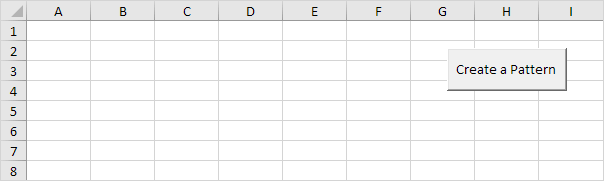
Place a command button on your worksheet and add the following code lines and declare two variables of type Integer. One named i and one named j.
Dim i As Integer, j As IntegerSecond, we will add 2 For Next loops.
For i = 1 To 5 Step 2
    For j = 1 To 5 Step 2
Next we will add the line which changes the background colour of the cells to light Gray.
Cells(i, j).Interior.ColorIndex = 15Instead of ColorIndex number 15 (light gray), you can use any ColorIndex number.
Close the two For Next loops.
Next j
 Next i
Test the program. Result so far.
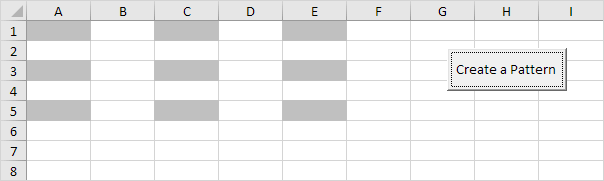
For example, for i = 1 and j = 1, Excel VBA colors Cells(1,1), for i = 1 and j = 3 (Step 2), Excel VBA colors Cells(1,3), for i = 1 and j = 5, Excel VBA colors Cells(1,5), for i = 3 (Step 2) and j = 1, Excel VBA colors Cells(3,1), etc.
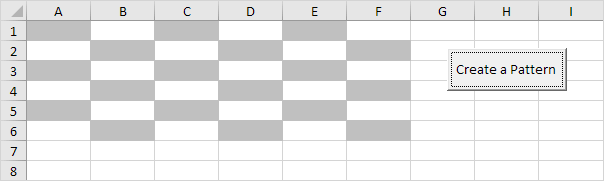
The only thing we need to do, is color the cells which are offset by 1 row below and 1 column to the right of the cells already colored. Add the following code line to the loop.
Cells(i, j).Offset(1, 1).Interior.ColorIndex = 157. Test the program.
Result:
Stuck on a step? Ask a question and the AI answers using this article.