BeforeDoubleClick Event
Code added to the Worksheet BeforeDoubleClick Event will be executed by Excel VBA when you double click a cell on a worksheet. Open the Visual Basic Editor. Double click on a sheet (for example Sheet1) in the Project Explorer. Choose Worksheet from the left drop-down list. Choose BeforeDoubleClick from the right drop-down list.
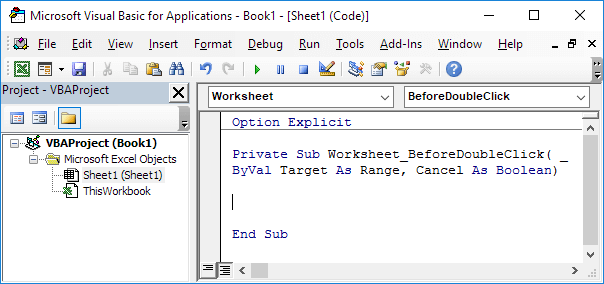
The ‘_’ symbol is used to continue the statement on a new line (in order to show you the complete code). Add the following code lines to the Worksheet BeforeDoubleClick Event: The code line below colors the active cell red.
Target.Font.Color = vbRed
Set the Cancel argument to true if you don’t want the default double click action (cell edit mode) to occur.
Cancel = True
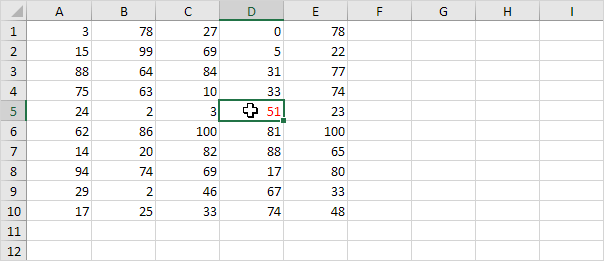
Test the program by double clicking a cell on Sheet1.
Result: